Get Your Property Ready in Three Simple Steps.
-
01
Create Your Property
Register and add your property details, images and guest information.
-
02
Customize Your Guest Guide
Add Wi-Fi details, house rules, check-in information, local recommendations and other property details.
-
03
Receive Your NFC Stand
Receive the included NFC Stand and place it in your property. Guests can tap or scan to access their guide.
The details, from sign-up to first guest.
-
1
Create your host account
Sign up with your name, email and phone number. We email you a link to confirm your address, which keeps accounts secure.
-
2
Add your property
Give it a name and Welcasa creates its permanent page address, for example /p/mistwood-villa/.
-
3
Fill in the details
Work through the tabs: details, Wi-Fi, check-in, rules, facilities, appliances, nearby places, emergency numbers and contact. Skip anything you do not need.
-
4
Make it yours
Choose a design, an accent colour, your logo, cover photo and gallery. Add translations if you host guests from other states.
-
5
Preview, then publish
Check the draft exactly as guests will see it. Publish when you are happy; later edits stay private until you publish again.
-
6
Print the QR card
Download an A4 card or table cards, or PNG/SVG files for a print shop. Place them in the room, at reception or on the fridge.
-
7
Guests scan and settle in
Any phone camera opens the page. No app, no login. You see daily scan counts in your dashboard.
Your Digital Guest Guide. One Simple Tap Away.
Give your guests instant access to their personalized property guide with the Welcasa NFC Stand.
Included with your plan
One Welcasa NFC Stand for each property in your plan, delivered to your address.
Guests simply tap
Holding a phone near the NFC Stand opens your property guide.
Or scan the QR code
Every property also has its own permanent QR code to print.
No app to install
Nothing to download and no account for guests.
Opens in the browser
The guide opens directly in the phone’s browser.
Works with most current Android phones and iPhone XS or newer. The QR code covers every other phone.
 Tap your phone hereYour guest guide
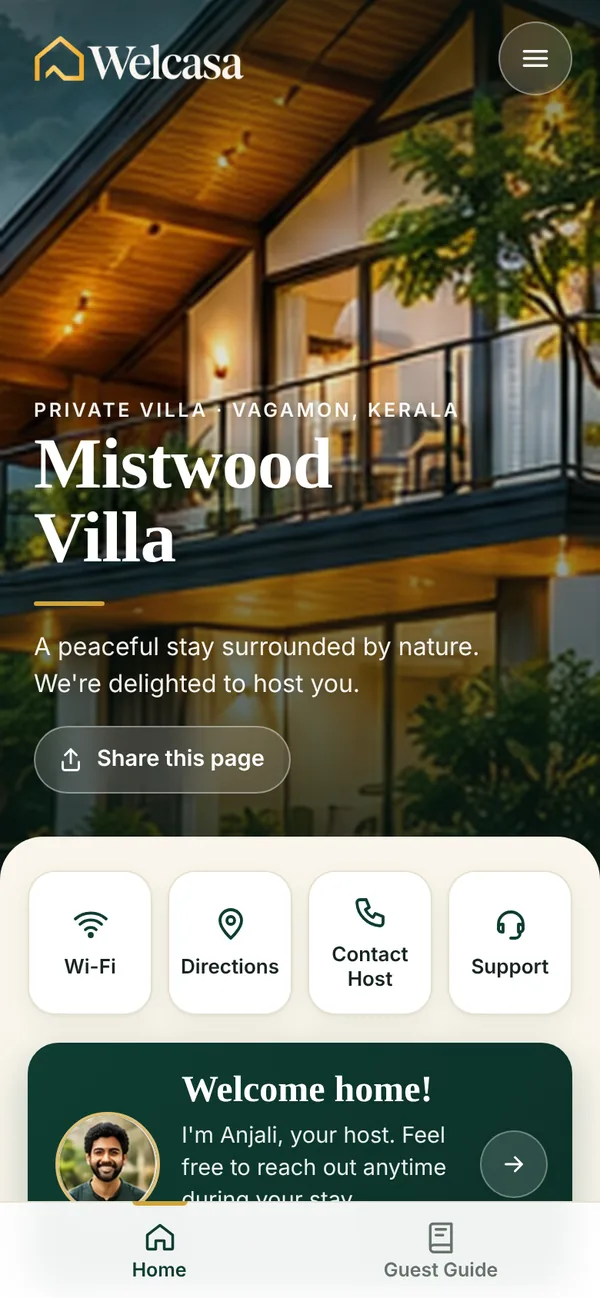

Create a Better Guest Experience with Welcasa.
Everything your guests need, beautifully organized in one digital guide.